|
|
|
|
|
|
|
|
|
|
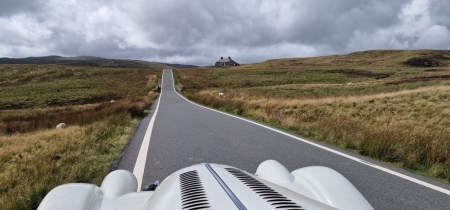
Wales
by Joske Vermeule, September 1
|
|
|
Forums39
Topics49,909
Posts838,129
Members9,635
| |
Most Online1,063
Jun 14th, 2026
|
|
|
|
Joined: Jan 2009
Posts: 5,945 Likes: 28
Charter Member
|

Charter Member
Joined: Jan 2009
Posts: 5,945 Likes: 28 |
The dropbox option (several other options of this type exist, MS OneDrive, Box, iCloud Photo sharing etc etc) is probably the simple one. Sign up for an account and you usually get 500 Mb or enough to host lots of photos.
Most of these work like a disc in the cloud. They offer a small application that downloads to your PC or Mac which typically gives you a folder on your desktop or in downloads folder. You simply drop the photos into this folder on your machine and this copies them up to the cloud. Give it a short time to sync up to the cloud fully. Then do an alt/click on the desktop using the mouse button to bring up the menu this gives you an option to share the picture.
In some cases they will also offer to backup your photos automatically as you take camera shots on your phone if you install the smartphone app as well. This can be helpful if you don't already have them copied off somewhere for posterity. It also saves you doing manual copies up to the cloud if you use your phone as your camera.
Just remember to use a unique password and don't put in the real date of birth on your profile. Why not?
Last edited by howard; 30/05/17 07:30 AM.
|
|
|
|
|
|
|